Lesson 7 of 11 · 5 min
Run checkout cleaning
Move each unit from checkout to clean, with photo review before the next guest arrives.
What you'll learn
- Read each cleaning status
- Mark a guest as checked out
- Clean, submit photos and review the work
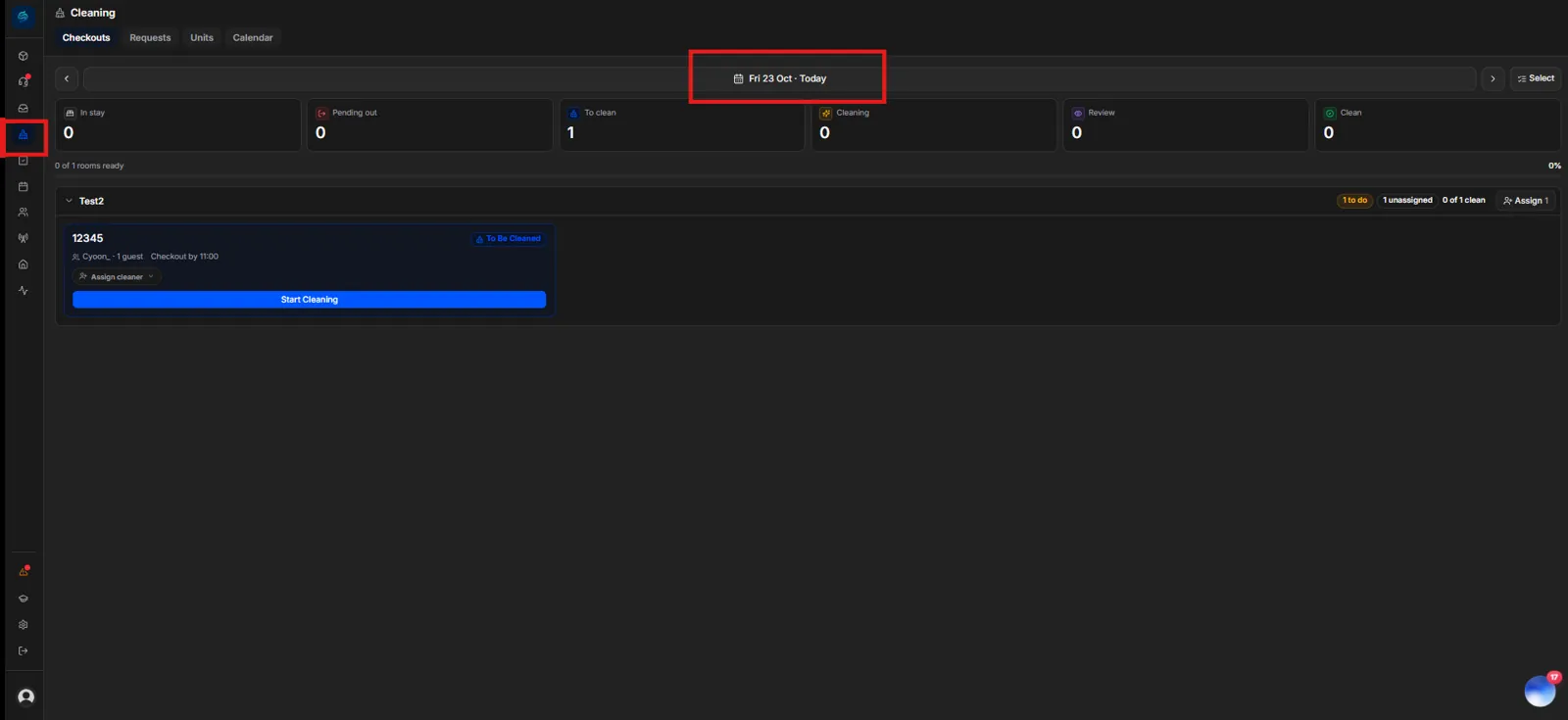
The Cleaning page helps staff and cleaners turn over each unit after checkout, so it's clean before the next guest arrives. Open it from the 🧹 Cleaning icon in the sidebar.
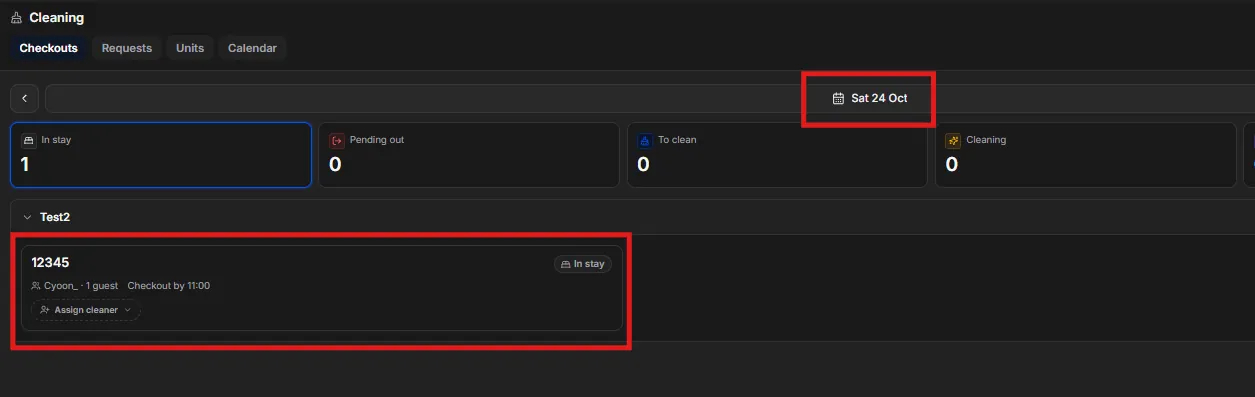
In stay
Guests who are staying now and check out on the date shown. For example, a guest who checks in on 23 October and checks out on 24 October appears under In stay on 24 October.
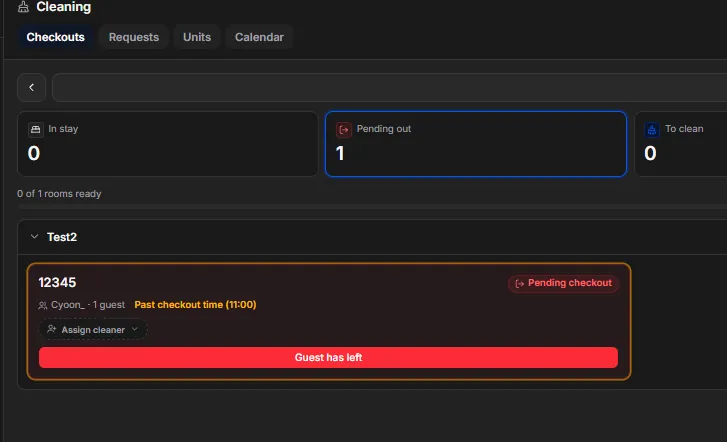
Pending out
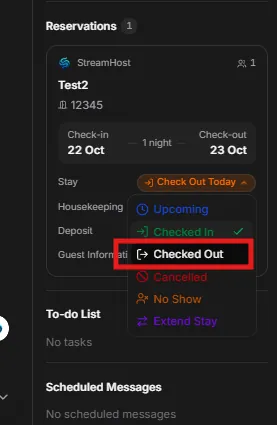
Guests due to check out today. Once they've left, mark them as checked out in either of two ways:
- Select Guest has left on the unit.
- Or open the guest's reservation on the Chat page and set its status to Checked out. Use this when a guest leaves early or tells you they've gone.
To clean
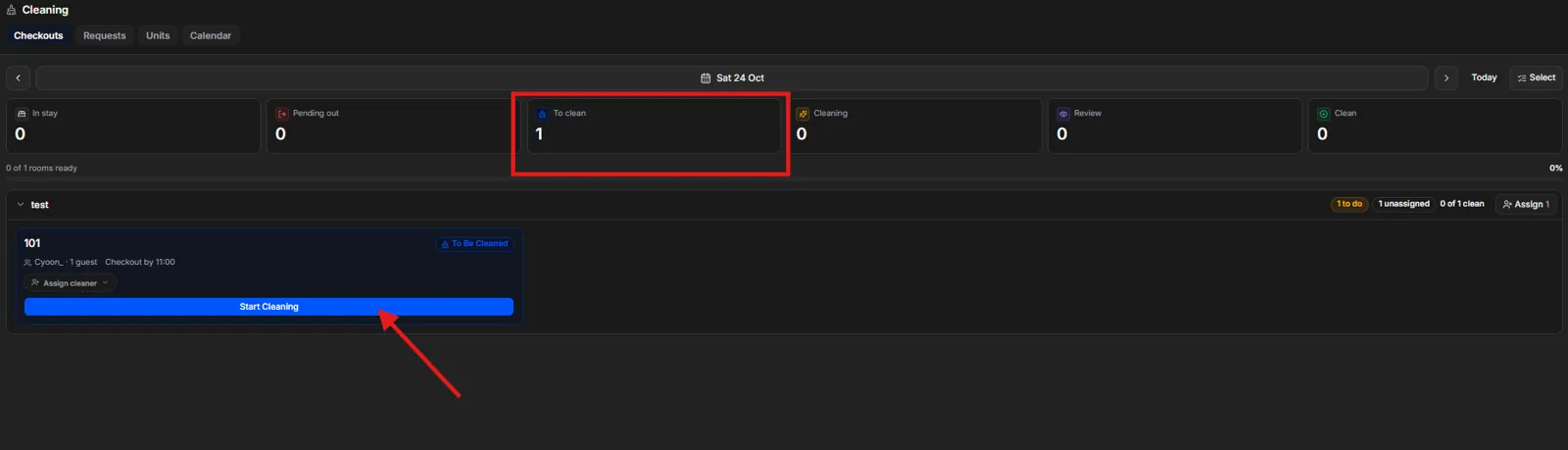
When the guest has left, the unit moves to To clean. The cleaner selects Start cleaning, and the unit shows as being cleaned.
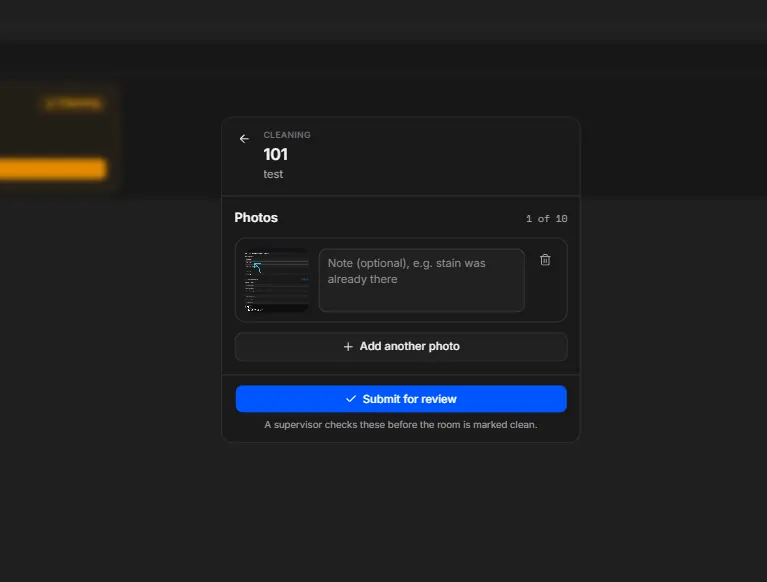
When they've finished, the cleaner:
- Takes and uploads photos of the cleaned unit.
- Selects Submit for review to send the photos to the person in charge.
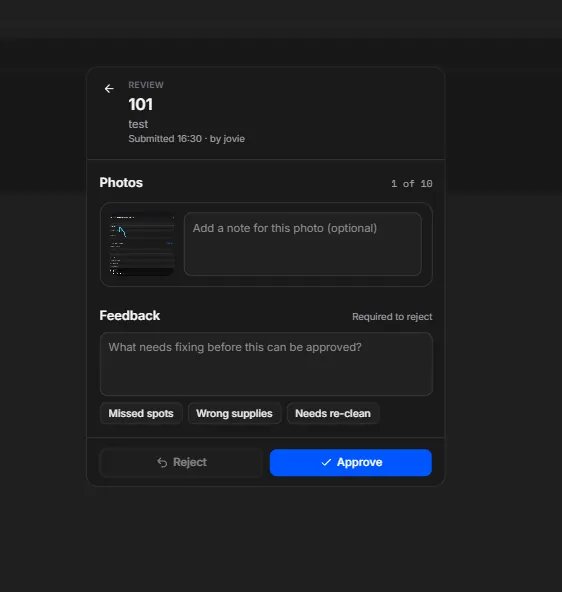
Review
The person in charge checks the photos and gives feedback.
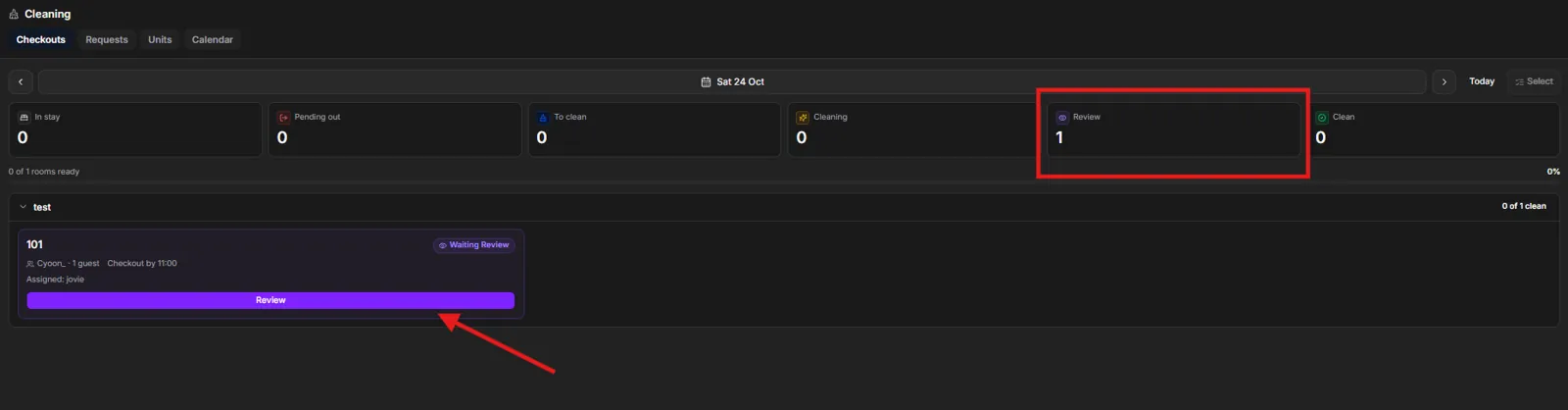
- Rejected: the cleaner re-cleans the unit following the feedback, uploads new photos and submits again. This repeats until the work is approved.
- Approved: the unit is marked Clean.